Electricity waste often comes from “always-on” devices, inefficient standby power, and not knowing which loads drive your bill. This curated guide focuses on smart plugs and energy-monitoring tools that help you identify and reduce unnecessary consumption. Because product capabilities vary by region, wiring standards, and device compatibility, the list is organized by use-case fit rather than a universal ranking.
Selection criteria (transparent): suitability for common home loads, ability to measure or estimate energy use, safety and wiring compatibility, ease of setup and ongoing use, data usefulness (local vs cloud), and practical ownership burden (app dependence, calibration needs, and maintenance). Where evidence is limited, trade-offs are stated explicitly.
| Tool type | What it helps you do | Best for |
|---|---|---|
| Smart plug with metering | Track and control a single outlet’s usage | Targeting standby and small appliances |
| Whole-home energy monitor | See aggregate consumption patterns | Finding major drivers |
| Submetering | Break down usage by circuit or area | Homes with clear zones |
| Load/plug-in power meters | Measure without smart automation | Quick auditing and verification |
1) Smart plugs with real-time energy monitoring (per-outlet)
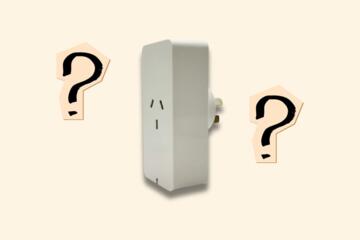
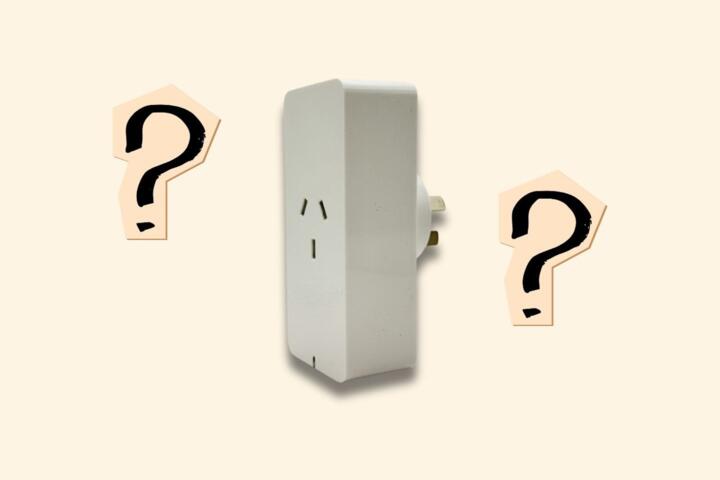
What it is: A Wi‑Fi or hub-connected plug that can switch power and, in many models, report power draw and energy usage for whatever is plugged into it. Why it belongs: It’s one of the most direct ways to identify “phantom” consumption from devices like routers, set-top boxes, desk lamps, and small chargers. Who it’s best suited for: Renters or homeowners who want targeted savings without rewiring. Main limitation/trade-off: Metering accuracy can vary by model and load type, and some devices (notably those with motors or certain power supplies) may produce misleading readings or behave poorly with rapid switching. What to check before choosing: Outlet rating and your wiring standard, whether it supports the device’s plug style and power level, whether it measures energy (kWh) versus only instantaneous watts, and whether it supports schedules and manual override during app outages.
Deep-dive: If you’re comparing plug features, see how smart plugs measure energy and what accuracy limits to expect.
2) Smart power strips with metering (multiple controlled outlets)
What it is: A strip that provides several individually switchable outlets, often with one or more measurement channels. Why it belongs: Many “waste” sources cluster together—TV setups, home offices, gaming consoles, and charging stations. A metered strip can reduce the number of devices you need to buy and manage. Who it’s best suited for: Households with multiple low-to-medium power loads in one area, especially where you want one tidy control point. Main limitation/trade-off: Total strip capacity and per-outlet limits can be lower than a single smart plug, and some strips meter only the total draw rather than each outlet. What to check before choosing: Per-outlet current/voltage limits, whether the strip supports independent outlet control, surge protection quality (if included), and whether it can handle your highest-watt device without tripping.
3) Hub-based smart plugs (local control options)
What it is: Smart plugs that integrate with a home hub (or ecosystems that can operate locally) rather than relying entirely on a cloud service. Why it belongs: Electricity waste reduction depends on consistent scheduling and reliable switching. If your internet is down, local control can keep automations working. Who it’s best suited for: People who want dependable automation and prefer reducing cloud dependency. Main limitation/trade-off: Hub setup can add complexity, and compatibility depends on the ecosystem. What to check before choosing: Whether the hub supports local automations, how firmware updates are handled, whether the plug supports your region’s power standard, and whether you can still control outlets manually if the app is unavailable.
Deep-dive: For ecosystem planning, read smart home hubs vs cloud-only devices: what changes for energy savings.
4) Plug-in energy meters (no-smart “audit” meters)
What it is: A standalone meter that plugs into a wall and provides a socket for the device, showing watts and often kWh. Why it belongs: Before committing to automation, you can verify which devices are actually drawing standby power and how much. Who it’s best suited for: Buyers who want evidence-based decisions and don’t want app accounts or network setup. Main limitation/trade-off: You must manually measure and then switch devices yourself (or buy smart plugs after identifying culprits). What to check before choosing: Measurement units (watts vs kWh), whether it supports your load range, and whether it can handle the type of device you’re testing (especially anything with a motor or variable-speed electronics).
5) Whole-home energy monitors (aggregate consumption)
What it is: A device that monitors total electricity usage for the home, typically via sensors installed on the electrical service panel or via a utility-compatible method. Why it belongs: Smart plugs help with individual loads, but whole-home monitoring reveals the bigger picture—daily patterns, peak usage times, and whether your “waste” is coming from a few major circuits. Who it’s best suited for: Homes where you suspect large drivers (HVAC, water heating, or always-on loads) and want to prioritize interventions. Main limitation/trade-off: It doesn’t automatically tell you which specific device is responsible without additional analysis or submetering. What to check before choosing: Installation requirements, compatibility with your panel and wiring configuration, whether it provides actionable breakdowns (some do, some don’t), and how data is stored and accessed.
Deep-dive: See how to interpret whole-home energy graphs to find waste sources.
6) Submetering for circuits or zones (more granular than whole-home)
What it is: Monitoring that measures electricity for specific circuits (e.g., kitchen, laundry, HVAC) or zones, often installed at the panel level. Why it belongs: It bridges the gap between per-outlet plugs and whole-home totals. If you can isolate circuits, you can target improvements like scheduling, load shifting, or replacing inefficient equipment. Who it’s best suited for: Homeowners who can support installation and want a clearer map of where waste occurs. Main limitation/trade-off: Higher installation effort and cost than plug-based solutions, plus you may still need device-level investigation within a circuit. What to check before choosing: Which circuits it can cover, whether it requires professional installation, how it handles multi-phase or complex panels (region-dependent), and whether it provides enough resolution to be useful.
7) Smart thermostats and HVAC energy monitors (for standby and cycling waste)
What it is: A thermostat that can control heating/cooling schedules and, in many cases, provide energy-related insights. Why it belongs: HVAC systems can dominate electricity use, and “waste” may come from inefficient schedules, short cycling, or heating/cooling when spaces are unoccupied. Who it’s best suited for: Households where comfort schedules are inconsistent or where you want to reduce runtime without guessing. Main limitation/trade-off: It’s not a direct standby-power solution for plug loads; savings depend on your HVAC type, insulation, and how you operate the system. What to check before choosing: Compatibility with your HVAC wiring and equipment, whether it supports occupancy or geofencing features you’ll actually use, and what energy data it provides (and how it estimates it).
Deep-dive: For HVAC-focused savings, read thermostat settings that reduce energy waste without sacrificing comfort.
8) Smart water-heater or hot-water circulation controls (heat loss is “electricity waste”)
What it is: Controls that manage electric water heating schedules or hot-water recirculation behavior, sometimes with timers and temperature sensing. Why it belongs: Heat loss and unnecessary reheating can be a major source of wasted energy, especially with electric water heaters or recirculation systems. Who it’s best suited for: Homes where hot water usage is predictable or where you want to reduce reheating outside peak demand. Main limitation/trade-off: It’s not a plug-and-forget solution; you must ensure comfort needs are met and that the control integrates safely with your heater type. What to check before choosing: Heater compatibility (electric vs other fuel types), whether it can integrate with existing recirculation hardware, and whether it includes safeguards for temperature and safe operation.
9) Appliance-specific monitoring (e.g., for refrigerators, freezers, and dehumidifiers)
What it is: Monitoring tools designed to track energy use for particular appliance categories, sometimes via smart plugs, sometimes via dedicated sensors. Why it belongs: Some appliances are sensitive to power interruptions or switching behavior. Monitoring can help you understand whether an appliance is running longer than expected (which can indicate maintenance needs) and whether settings changes reduce runtime. Who it’s best suited for: Households that want to detect inefficiency and maintenance opportunities, not just schedule power off. Main limitation/trade-off: For refrigerators/freezers, frequent power cycling is generally undesirable; monitoring should be used for insight rather than aggressive automation. What to check before choosing: Whether the tool is intended for continuous operation, how it behaves during outages, and whether the appliance’s control electronics tolerate the plug’s switching behavior.
10) Energy-monitoring services and utility tools (data you already pay for)
What it is: Utility-provided portals, in-home displays, or third-party services that use utility data to show usage patterns. Why it belongs: You may already have access to meaningful consumption insights without buying hardware. These tools can help you validate whether changes you make (like turning off standby loads) actually reduce consumption. Who it’s best suited for: People who want low-effort monitoring and prefer to avoid additional devices. Main limitation/trade-off: Granularity may be limited, and some services rely on cloud access or delayed data. What to check before choosing: Whether the tool provides interval data (not just monthly totals), how it handles privacy and data retention, and whether it can be used to compare “before vs after” periods credibly.
Deep-dive: If you’re trying to connect utility data to device-level changes, see how to run an energy “before/after” test at home.
Practical selection framework (match your situation)
- Start with targeted waste (standby and small loads): Choose metered smart plugs or a metered power strip. Verify per-outlet limits and whether your devices behave well with switching.
- You suspect big drivers but don’t know where: Use a whole-home energy monitor first, then add smart plugs for the top suspected circuits or devices.
- You want circuit-level clarity: Consider submetering if you can support installation and want actionable breakdowns beyond whole-home totals.
- You prefer evidence before automation: Use plug-in energy meters to identify high standby draws, then decide which loads deserve smart control.
- Comfort systems are your main cost: Focus on thermostat/HVAC controls and scheduling; use monitoring to confirm runtime changes.
- You’re optimizing heat-related waste: Look at water-heater or recirculation controls, but confirm compatibility and safe operation.
- You want minimal hardware: Check utility tools and in-home displays for interval data you can use to validate savings.
Across all options, the most reliable approach is iterative: measure, change one variable (like scheduling or turning off a standby load), then compare usage over a similar time window. That method reduces the risk of chasing noise or attributing savings to the wrong cause.