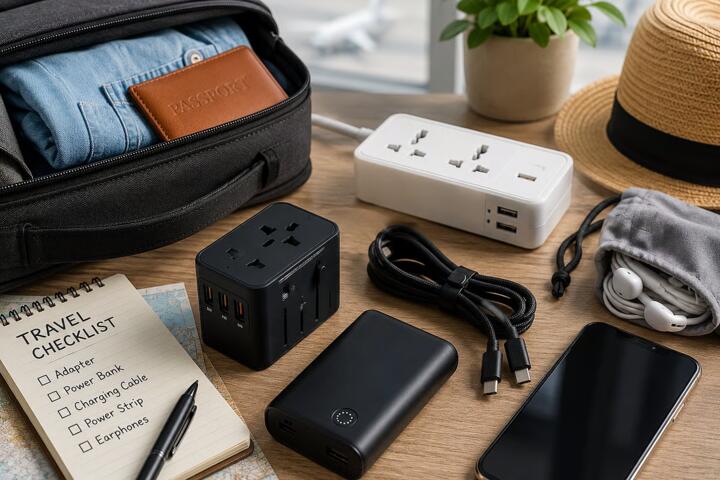
Travel goes smoother when your tech solves specific problems: staying connected, finding your way, keeping devices powered, and protecting your data and belongings. This curated list focuses on products that address common, real-world friction points rather than “nice-to-have” gadgets. Selection criteria: practical problem fit, compatibility with common devices and travel scenarios, ease of use, power efficiency, data/privacy considerations, durability for carry-on use, and the main trade-offs you should understand before buying.
| Problem you’re solving | Product type | Best for |
|---|---|---|
| Dead phone battery | Portable power bank | Day trips, multi-device travel |
| Unreliable internet | Offline maps + hotspot strategy | Road trips, rural areas |
| Lost or stolen items | Bluetooth tracker / tag | Suitcases, keys, bags |
| Device security | Encrypted storage / secure access | Documents, backups |
Note: Availability, exact features, and airline rules can vary by country and over time. Verify specs (especially battery capacity and charging standards) and any travel restrictions before purchase.
1) Portable power bank with USB-C Power Delivery (PD)
What it is: A compact battery pack that recharges phones, tablets, and sometimes laptops via USB-C PD.
Why it belongs: Battery anxiety is one of the most common travel pain points—especially when you rely on maps, messaging, and photos.
Best suited for: Anyone doing day trips, long layovers, or multi-device travel where wall outlets are scarce.
Main limitation / trade-off: Higher capacity usually means more weight, and not all power banks support the same charging profiles. Some devices may charge slower than expected.
What to check: Confirm your devices’ charging requirements (voltage/current), the power bank’s supported outputs (e.g., USB-C PD wattage), and airline carry-on rules for battery capacity. If you plan to charge a laptop, verify the power bank can deliver sufficient wattage for that model.
2) Multi-port travel charger (with smart power distribution)
What it is: A wall charger designed for travel that includes multiple ports (often USB-C plus USB-A) and can allocate power across devices.
Why it belongs: Hotels and airports often provide limited outlets. A multi-port charger reduces the number of bricks and cables you carry.
Best suited for: Travelers with a phone + tablet + earbuds, or anyone who wants a simpler charging setup.
Main limitation / trade-off: “Multi-port” doesn’t guarantee fast charging for every device at the same time. Total output is shared, so one device may slow down when others are connected.
What to check: Verify total wattage, per-port wattage, and whether USB-C PD is supported for your phone. Also check plug compatibility for your destinations (or plan to use a suitable adapter).
3) Offline maps on your phone (with a reliable download workflow)
What it is: A method of using map data without a live connection—typically by downloading regions in advance.
Why it belongs: Connectivity can fail due to roaming costs, weak signal, or rural coverage. Offline navigation prevents wasted time and missed turns.
Best suited for: Road trips, hiking-adjacent travel, and anyone visiting areas with spotty mobile coverage.
Main limitation / trade-off: Offline maps can become outdated, and some features (like live traffic) won’t work without data.
What to check: Confirm the app supports the specific region you need, that you can download over Wi‑Fi before leaving, and that you know how to update maps when you return. If you rely on public transit directions, verify what’s available offline.
4) Compact travel Wi‑Fi strategy: eSIM or a roaming plan + fallback
What it is: A plan for getting data abroad using an eSIM (or local SIM) and a fallback method if activation or coverage is delayed.
Why it belongs: Many travel tasks—ride-hailing, messaging, document access, and offline map downloads—depend on data.
Best suited for: Travelers who need reliable connectivity for navigation and communication.
Main limitation / trade-off: eSIM activation can fail if your device isn’t compatible or if you miss the activation window. Roaming plans can be expensive if you exceed data limits.
What to check: Verify device eSIM compatibility, check coverage in your specific countries/regions, and confirm whether you can top up or switch plans while traveling. Consider a backup option (like a local SIM at arrival) if your trip is time-critical.
5) Bluetooth tracker for bags and valuables
What it is: A small tag that you attach to luggage, a backpack, or keys, helping you locate items via a companion app.
Why it belongs: Lost luggage and misplaced items are common. Trackers can reduce the time spent searching and improve recovery odds.
Best suited for: Frequent flyers, family travel, and anyone who carries expensive gear.
Main limitation / trade-off: Trackers depend on the surrounding network of compatible devices and may not work in remote areas. Battery life varies by usage.
What to check: Confirm the tracker’s ecosystem works in the countries you’ll visit, understand the privacy model, and check battery replacement or lifespan. Also ensure you know how to interpret location updates (real-time vs last-seen).
6) Encrypted USB drive or secure document storage
What it is: A storage device or app-based vault that keeps copies of important documents encrypted.
Why it belongs: If your phone is lost or damaged, having offline backups of passports, visas, insurance, and key contacts can be a lifesaver.
Best suited for: International travelers, business travelers, and anyone who needs quick access to documents.
Main limitation / trade-off: Encryption adds complexity: you must manage passwords/keys carefully. If you forget credentials, recovery may be impossible.
What to check: Confirm the encryption approach and whether it supports your workflow (e.g., file formats, cross-device access). Keep a separate backup of recovery information in a secure place.
7) Smart luggage tag or QR-based contact card (non-tracking option)
What it is: A physical tag with a QR code that links to contact instructions (and sometimes a secure form) without relying on continuous tracking.
Why it belongs: It’s a low-tech complement to trackers—useful when networks are unavailable or when you want to minimize electronics.
Best suited for: Travelers who prefer privacy, want a simple recovery path, or travel in areas with limited connectivity.
Main limitation / trade-off: It doesn’t provide location updates; it only helps someone contact you if they find the item.
What to check: Ensure the QR destination doesn’t expose sensitive personal data publicly. Use a contact method you can monitor and verify the link works on multiple phones before departure.
8) Universal travel adapter with surge protection (where appropriate)
What it is: A multi-outlet adapter designed to fit different plug types, sometimes including surge protection.
Why it belongs: Charging in hotels and rentals often means using unfamiliar outlets. A quality adapter reduces the risk of poor connections and simplifies your setup.
Best suited for: International travelers with multiple chargers and devices.
Main limitation / trade-off: Surge protection doesn’t guarantee protection from all electrical issues, and some adapters may not support high-wattage devices.
What to check: Verify your destination plug types, confirm voltage compatibility for your devices (especially if you use hair tools or other high-wattage appliances), and check the adapter’s rated current/wattage.
9) Portable power strip for rentals and shared rooms
What it is: A compact multi-outlet strip that adds outlets where there are few, often with USB ports.
Why it belongs: Many rentals and hotel rooms have limited outlets, and power strips can prevent cable clutter and “charger wars.”
Best suited for: Groups, families, and anyone who needs to charge multiple devices simultaneously.
Main limitation / trade-off: Overloading is a real risk. Some strips are not designed for high-wattage appliances.
What to check: Confirm the strip’s maximum load rating, avoid running heaters or high-wattage devices unless explicitly supported, and consider whether you need a surge-protected model.
10) Smart luggage scale or weigh-at-home method
What it is: A small scale (or a reliable weighing workflow) to check baggage weight before you reach the airport.
Why it belongs: Weight surprises can force last-minute repacking or fees. A scale helps you stay within airline limits.
Best suited for: Travelers with strict baggage allowances, frequent short trips, or anyone packing for multiple climates.
Main limitation / trade-off: Scales add one more item to carry, and different airlines may enforce rules differently (including how they measure).
What to check: Verify the scale’s measurement units and accuracy claims, and weigh your bag using the same method you’ll use at the airport (including how you handle straps or attachments).
11) Noise-canceling headphones with a travel-friendly power plan
What it is: Headphones that reduce ambient noise, often with long battery life and a travel case.
Why it belongs: They address a real travel problem: fatigue from cabin noise and difficulty concentrating during transit.
Best suited for: Long flights, train travel, and anyone who needs focus or rest on the move.
Main limitation / trade-off: Active noise canceling can reduce battery life, and fit affects performance.
What to check: Confirm battery life for your expected trip length, check whether the headphones support wired mode if the battery dies, and test comfort (especially for long sessions). Also verify how the device handles microphone calls in noisy environments.
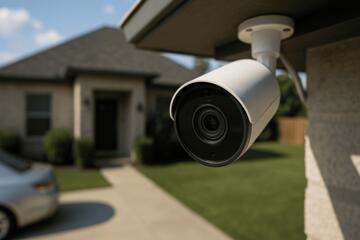
12) Dash cam or travel recording setup for road trips (with privacy awareness)
What it is: A car-mounted camera that records driving footage, sometimes with parking mode.
Why it belongs: For road trips, it can help document incidents and reduce uncertainty after disputes. It’s also useful for capturing evidence in case of damage.
Best suited for: Drivers on long routes, renters who want documentation, and anyone who frequently drives in unfamiliar areas.
Main limitation / trade-off: Installation and power draw can be inconvenient, and recording raises privacy and legal considerations that vary by location.
What to check: Verify legality in your travel countries/regions, confirm how the camera handles storage (card capacity, overwrite behavior), and ensure it won’t drain the vehicle battery if you use parking mode. If renting, check whether installation is allowed.
How to choose: a practical framework by traveler profile
- “I just need fewer hassles” (most travelers): Start with a portable power bank, a multi-port charger, and offline maps. Add a Bluetooth tracker if you’re checking bags or carrying valuable gear.
- “I’m traveling internationally and need reliable data”: Plan your connectivity with an eSIM or roaming approach plus a fallback. Pair it with encrypted document storage so you’re not dependent on one device.
- “I’m driving long distances”: Prioritize offline navigation, a robust charging setup for the car, and consider a dash cam if your route and risk profile justify it.
- “I’m traveling with family or a group”: Use a portable power strip and multi-port charging to reduce outlet contention. Add luggage weight checks to avoid last-minute repacking.
- “I’m focused on recovery, not tracking”: Consider a QR-based contact tag alongside (or instead of) a tracker, especially if you want to minimize reliance on network coverage.
If you want to narrow choices further, list your trip countries, trip length, number of devices, and whether you’ll rent a car or check luggage. Then verify compatibility (charging standards, eSIM support, map download regions) and the biggest trade-offs (weight, battery life, privacy/legal constraints) for the items you’re considering.