QR codes show up in car-related places like parking lots, charging stations, dealerships, repair shops, and roadside assistance signage. This FAQ focuses on the scam patterns that matter to drivers and explains how to scan safely without guessing. The goal is to help you reduce risk when a QR code asks you to open a link, install something, or enter payment details.
1) What is a QR code scam in a car-related context?
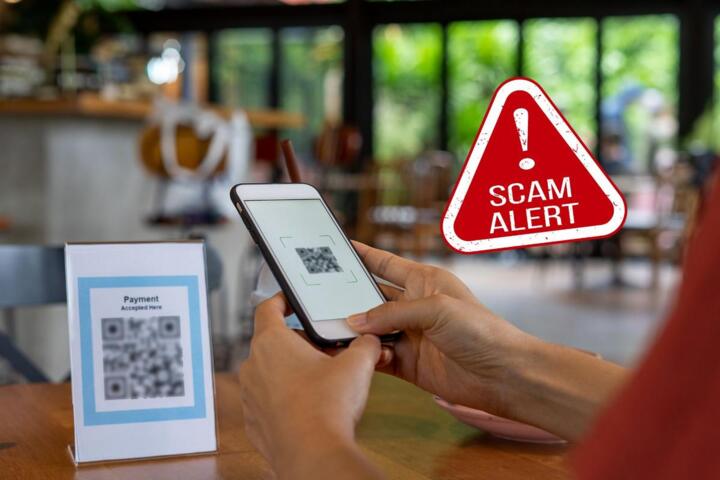
A QR code scam is when a QR code leads your phone to a malicious or deceptive website, app download, or payment flow instead of the intended service. In automotive settings, scammers may replace or overlay legitimate codes on charging equipment, parking signage, or service counters to redirect you to a fake login or payment page.
Because QR codes are just link pointers, the risk is less about the code itself and more about where it sends you.
2) Where does the risk usually come from?
The risk usually comes from tampering and from link trust issues. Common scenarios include a sticker/overlay placed over the original QR code, a code that points to a lookalike domain, or a page that tries to trick you into entering credentials or authorizing a payment. Less often, the risk comes from your phone’s browser or installed apps if you allow permissions too broadly.
If you’re scanning in a public or unattended area, assume the code could have been altered.
3) How can I scan a QR code safely before I tap anything?
Scan using your phone’s built-in QR reader (or a reputable scanner) and preview the destination before opening it. Look for the actual domain in the preview, check whether the URL matches the business you expect, and avoid opening links that shorten or obscure the address. If the preview looks wrong, stop there.
For car-related services, it’s also wise to avoid scanning from a code that looks freshly pasted or misaligned.
4) What should I check on the website or payment page after scanning?
Verify the business identity and the payment context before entering any information. Check that the page uses the correct domain for the organization you expect, that the page content matches the service (charging, parking, service booking), and that the URL is not a generic or misspelled lookalike. If the site asks for unnecessary permissions or unusual account creation, treat it as suspicious.
When in doubt, close the page and use the official app or the contact method printed on the equipment or receipt.
5) Can QR scams cost me money even if I don’t enter my card details?
Yes. Some QR scam flows can trigger unwanted actions such as sending you to a fake login that steals credentials, starting a subscription-like process, or prompting you to authorize a payment method through a third-party checkout. Even without typing a card number, you may still be tricked into confirming an action.
Only proceed if you’re confident the destination is legitimate and the action is clearly described.
6) Are QR codes used for legitimate vehicle services, and how do I tell the difference?
Many QR codes are legitimate for tasks like starting a charging session, viewing parking rules, or accessing service documentation. The difference is verification: legitimate codes typically point to the official domain and match the brand shown on the equipment or signage. If the destination is unrelated, the domain is unfamiliar, or the page content doesn’t match the location, don’t proceed.
If you want a broader approach, see how to verify charging and parking app links safely.
7) What phone settings or habits reduce QR scam risk?
Use your phone’s QR preview feature when available, keep your operating system and browser updated, and be cautious with permissions prompts. Avoid installing apps prompted by a QR code unless you can confirm the publisher through an official app store. Also, consider disabling “open links automatically” behaviors in your browser or scanner settings.
These steps reduce the chance that a malicious destination can act before you evaluate it.
8) Does QR scanning work the same on every car, charger, or phone model?
No. QR codes are decoded by your phone and then handled by your browser or apps, so behavior can vary by operating system version, scanner app, and how the destination is configured. Some codes may redirect multiple times, use region-specific pages, or require a specific app to complete payment. That’s why you should always verify the domain and the final destination, not just the first redirect.
If you’re troubleshooting, learn how redirects and deep links can change what you actually open.
9) What are common edge cases where QR codes can still be risky?
Edge cases include QR codes that lead to “helpful” downloads, codes that request account creation for a simple action, and codes that appear on temporary signage (events, construction, pop-up parking). Another risk is scanning a code while on a shared or captive network, where the page may behave differently. If the flow doesn’t match what you expected from the physical location, stop and verify via official channels.
For additional safety checks, review a quick checklist for verifying links in public places.
10) What should I do if I think I scanned a scam QR code?
If you suspect you were redirected to a malicious or fake page, close the tab and do not enter credentials or payment details. Check whether any app was installed, review recent browser downloads, and consider running your phone’s security scan if available. If you entered sensitive information, contact the relevant service immediately and follow their account-protection steps.
For payment-related issues, act quickly: monitor accounts and report suspicious activity to your payment provider.
Closing: What you should verify for your own vehicle and market
QR scam risk depends on where you scan, who operates the service, and how your phone handles redirects and permissions. Before using a QR code for charging, parking, or service booking, verify the destination domain, confirm it matches the brand on the equipment or signage, and prefer official apps or contact numbers when anything looks off. If you travel, also re-check language/region-specific pages and the final redirect target.
To tailor this to your situation, confirm the operator name shown on your charger or parking system, the official app or website you normally use, and your phone’s current security and browser settings.
Related reading: spotting phishing patterns on mobile payment pages and best practices for safer QR use in everyday driving.