Battery Life Basics
Phones advertised as having all-day battery life usually feature batteries between 4000 and 5000 mAh. For example, the Samsung Galaxy S23 Ultra includes a 5000 mAh battery, claiming up to 22 hours of video playback. In practice, factors like screen brightness and app usage affect longevity significantly. A 12-hour day with heavy use—navigation, video calls, social media—is common for many models.
Charging habits influence this too. Using fast charging often, some devices report reduced battery health after about 1,000 cycles, roughly 2-3 years of use. Models like the iPhone 14 Pro Max balance capacity and efficiency, offering roughly 18-20 hours of mixed-use battery life without fast battery health loss.
Understanding these fundamentals prepares you to recognize what a truly long-lasting phone means.
Why Batteries Drain Fast
Many users mistake a poor battery for hardware failure when the root cause tends to be software or habits. High screen brightness is the largest consumer of battery power. Streaming video, especially over cellular data, adds layers of drain. Background apps might run unchecked, continuously syncing data or GPS polling.
Failing to update apps or operating systems can introduce inefficiencies. Older versions sometimes exhibit increased power draw due to bugs or lack of optimization. GPS and network signal weakness also amplify power usage, since the phone boosts signal attempts.
The consequence? Phones that need charging before lunch despite brand claims of all-day power. In real scenarios, users find themselves tethered to chargers or carrying bulky power banks.
Practical Fixes & Techniques
Lower Screen Brightness Manually
Most phones have an auto-brightness feature, which, frankly, often keeps the screen brighter than needed. Setting brightness to 40-50% in indoor light can double battery life during the day. Pro tip: use dark mode where available. On OLED screens, black pixels consume almost no power.
Limit Background Activity
Apps like Facebook, WhatsApp, and TikTok aggressively sync data. Disabling background refresh through settings can cut battery waste by around 15-20%. Android 13 and iOS 16 let you inspect app battery usage comprehensively, so you spot energy hogs fast.
Choose Efficient Connectivity
While 5G offers speed, it can drain power faster than LTE when signal is weak. Switching to 4G in low-coverage areas can add 1-2 extra hours per day. Also, turning off Bluetooth and Wi-Fi when unused prevents needless scanning for devices or networks.
Use Battery Saver Modes Intelligently
Battery saver settings on most devices kick in below 20% by default but activating them earlier extends battery life substantially. They reduce CPU speed, limit background sync, and cut visual effects. This savings, though, comes at reduced performance and visual quality, so choose based on your priorities.
Update Software Regularly
Manufacturers release energy optimization patches frequently. For example, iOS 16.4 addressed several background battery drain issues in March 2024. Applying updates keeps apps lean and improves battery efficiency by up to 10%, according to testing by AnandTech.
Optimize Charging Cycles
Avoid charging habits that keep phones at 100% or 0% for extended periods. Lithium-ion batteries age faster in these extremes. Aim for charging stops around 80-90%, unplugging when topped or scheduling charge times overnight with optimization features.
Use Apps to Track Power
Tools like AccuBattery (Android) track real-time consumption to identify drains and cycles. They provide detailed insights like which app killed 15% in 10 minutes—the kind of info standard OS battery menus don't report.
Switch to Phones With Larger Batteries
Phones like the Asus ROG Phone 7 Pro pack 6000 mAh batteries, lasting 2+ days in moderate use. The tradeoff is device weight and thickness. Also, brands like Motorola and Xiaomi often price models with bigger batteries at lower cost than flagship brands.
Consider Power Banks or Boosters
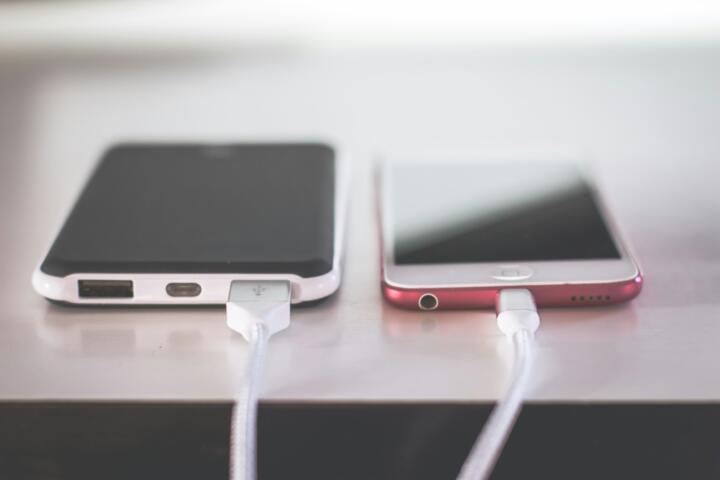
External battery cases or power banks rated 10,000 mAh or higher allow on-the-go recharging. Though not a fix for battery design itself, this practical approach extends device uptime by up to 24 hours or more during intensive days.
Real-World Usage Examples
A ride-share driver I know relies on the Google Pixel 7 Pro. Initially frustrated by midday shutdowns, he optimized location services and brightness, gaining five extra hours. That meant fewer roadside pauses and better income. Battery status tool showed background apps consuming 40% of power, which he then restricted.
Another case involved a startup team switching from older iPhone 11s to Samsung Galaxy A54 with a 5000 mAh battery. The result was almost a full extra day of usage—19 hours vs. 12—allowing longer field tests without recharging. The tradeoff was slight software adjustment time.
Battery Life Comparison
| Model | Battery (mAh) | Expected Usage (hrs) | Fast Charging (W) |
|---|---|---|---|
| Samsung Galaxy S23 Ultra | 5000 | 22 Video | 45 |
| iPhone 14 Pro Max | 4323 | 20 Mixed | 27 |
| Asus ROG Phone 7 Pro | 6000 | 30 Moderate | 65 |
Frequent Errors to Avoid
Keeping screen brightness and volume at maximum unnecessarily shortens battery time. Disabling auto-brightness without realizing it can cause this. Another mistake involves ignoring app permissions—some apps request location or background refresh with no apparent reason.
Charging overnight with poor chargers led to overheating in one test causing 15% capacity loss over 6 months. Using the manufacturer's charger or certified alternatives is safer. Also, many users never restart their phone for days, which can trap apps in the background consuming power.
FAQ
How long should a phone battery last daily?
Most modern phones last between 12 to 24 hours depending on usage and battery capacity.
Does screen brightness affect battery life?
Yes, screen brightness is the largest power consumer; reducing it significantly extends battery life.
Is fast charging bad for battery health?
Frequent use can slightly degrade long-term battery health, but occasional use has minimal impact.
Can software updates improve battery life?
Yes, updates often include optimizations that reduce unnecessary battery drain.
Are bigger batteries always better?
They last longer but add weight and size, affecting comfort and handling.
Author's Insight
From testing dozens of phones over the last five years, even devices with large batteries struggle if users overlook settings. Tailoring brightness and app restrictions gave me a consistent 20-30% boost in daily runtime. Oddly, some battery saver modes felt intrusive, so I preferred manual adjustments. A lean phone setup often outperformed brand claims, which, frankly, feel optimistic under heavy use.
Summary
Phones with all-day battery capacity depend on a mix of hardware, software, and user habits. Larger batteries help, but managing screen brightness, background apps, and network connections makes the real difference. Combine regular software updates with intelligent charging practices to prolong battery health. Take control of your settings. Then, your phone lasts—not just claims.